What is Galileo?
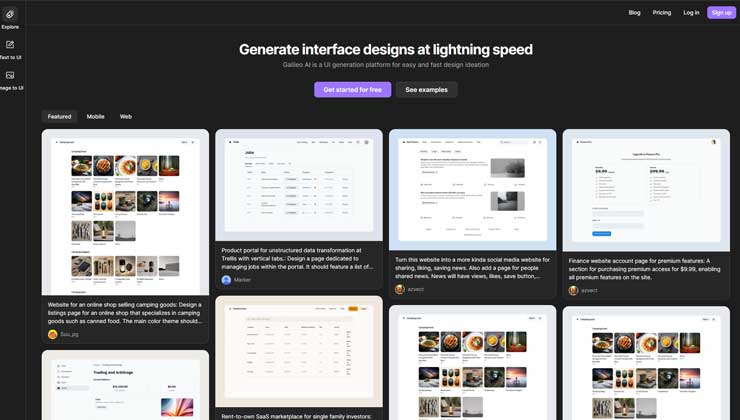
Galileo is an advanced platform designed to transform user interface (UI) design by harnessing the power of artificial intelligence. This AI-driven UI generation tool is aimed at speeding up the design process for designers, developers, and product teams, enabling them to create digital products efficiently and accurately.
With its cutting-edge technology, Galileo enhances workflow efficiency and helps turn creative concepts into reality with impressive speed and precision.
Key Features of Galileo:
- Fast UI Creation: Galileo allows for the quick generation of interface designs, offering a competitive edge in environments that require fast development cycles.
- Mobile and Web Design Flexibility: The platform supports both mobile and web-based design projects, providing users with the necessary tools to design for various platforms.
- Wide Array of Design Templates: Galileo provides diverse design templates suited for different industries and applications, enabling users to jumpstart their projects with ease.
- AI-Powered Design Recommendations: Leveraging AI, Galileo analyzes user inputs to provide relevant design suggestions that optimize the overall creative process.
Advantages of Using Galileo:
- Boosts Productivity: By automating the initial stages of UI design, Galileo significantly reduces the time required to move from concept to prototype, increasing productivity.
- Intuitive and User-Friendly Interface: With a simple interface, Galileo is accessible to both seasoned professionals and newcomers to the design field.
- Tailorable Design Options: Galileo allows for easy customization of designs to meet specific brand and project needs, ensuring high levels of flexibility.
- Simplifies Team Collaboration: The platform makes it easy to share designs and provide feedback, streamlining collaboration among team members during the design process.
Disadvantages of Galileo:
- Steep Learning Curve for Advanced Features: Though Galileo is easy to use for basic tasks, users may face challenges when exploring more advanced features, requiring time to master.
- Integration Issues: Integrating Galileo into existing workflows can be tricky, especially for teams already using other tools and processes, presenting initial setup challenges.
- Reliance on AI Interpretation: The quality of design outputs depends heavily on how well the AI interprets user inputs, which may sometimes require manual adjustments.
Who Benefits from Galileo?
- UI/UX Designers: Designers can use Galileo to create prototypes quickly, iterating on designs based on user feedback.
- Product Managers: Product managers can visualize and communicate product concepts effectively, using Galileo to convey ideas to stakeholders.
- Startups: Small teams can rely on Galileo to efficiently realize their designs with limited resources and design expertise.
- Educational Institutions: Galileo is used in academic settings to teach design principles and UI development to students.
- Other Users: Various non-profits, event planners, and hobbyists use Galileo for a wide range of digital design projects.
Pricing Model:
- Subscription Plans: Galileo offers flexible subscription options to cater to different user needs, budgets, and project sizes.
- Customized Packages: For larger teams or enterprises, Galileo provides custom plans with additional features and dedicated support.
Note: For the latest pricing details, visit the official Galileo website.
What Sets Galileo Apart?
Galileo stands out in the crowded UI design market due to its innovative AI-driven approach. Unlike traditional design tools, Galileo quickly converts text-based inputs into usable visual interfaces, making the design process faster and more adaptive to user needs.
Compatibility and Integration:
- Cross-Platform Usability: Galileo supports both mobile and web platforms, ensuring its versatility across a variety of design projects.
- API Integration: The platform offers API access, allowing for seamless integration with existing systems and custom solutions.
- Works with Popular Design Tools: Galileo integrates smoothly with widely used design tools, enhancing the overall design workflow.
- Team Collaboration Tools: It also integrates with popular collaboration tools, promoting effective team communication and feedback.
Learning Resources for Galileo:
Galileo offers comprehensive tutorials and resources to help users maximize the tool’s potential, from initial setup to advanced usage techniques.
Conclusion:
Galileo is an excellent choice for anyone looking to streamline the UI design process. With its powerful AI-driven features, quick prototyping, and intuitive interface, Galileo helps users turn ideas into functional designs with ease.
Despite challenges like a learning curve for advanced tools and potential integration hurdles, the overall benefits far outweigh these minor obstacles, making Galileo a valuable tool for individuals and teams looking to enhance their UI design workflow.