What is SlidesPilot?
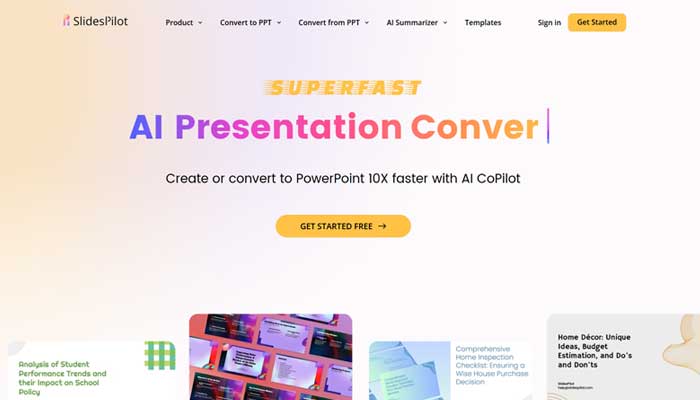
SlidesPilot is an innovative AI-powered tool designed to transform the way presentations are created. Tailored for professionals, educators, and anyone who regularly works on presentations, this platform streamlines the creation process.
With its advanced AI technology, users can enjoy faster creation times, improved content generation, seamless image integration, and convenient document conversion, all while producing professional-grade presentations with minimal effort.
Key Features
- AI-Powered Presentation Generator: Create PowerPoint presentations up to 10 times faster with the help of AI. Simply input your topic and instantly receive a well-structured, informative presentation tailored to your needs.
- AI-Driven Image Integration: Easily incorporate relevant images into your slides. The AI automatically selects images that match your presentation’s content, eliminating the need to manually search for visuals.
- Document Conversion: Convert PDFs, Word documents, reports, outlines, and research papers into PowerPoint presentations. This feature also summarizes complex texts into concise slides for easy comprehension.
- AI Editing Assistant: Enhance your slides with the AI Copilot. It allows you to create new slides, rephrase text, correct grammar, and even generate relevant images. This ensures your presentations are both professional and polished.
Advantages
- Time Efficiency: SlidesPilot dramatically speeds up presentation creation, allowing users to generate an entire PowerPoint presentation in as little as 50 seconds.
- User-Friendly Interface: With an intuitive design and AI support, SlidesPilot is accessible to users of all skill levels.
- Multilingual Support: The platform supports multiple languages, making it an ideal solution for users across the globe.
- Extensive Template Library: Access a wide variety of free PowerPoint and Google Slides templates tailored to meet different needs.
Disadvantages
- Initial Learning Curve: New users may require some time to fully explore the advanced features of SlidesPilot.
- Complex Data and Graph Processing: The AI tool has limitations when dealing with intricate data and graphs, which may need manual adjustments.
- Document Size Restrictions: There are certain limitations on the file sizes that can be converted into presentations.
Who Can Benefit from Using SlidesPilot?
- Educators: Perfect for creating lecture slides and summarizing academic material for students.
- Business Professionals: Helps executives quickly create high-quality presentations for meetings, reports, and pitches.
- Marketing Experts: Utilized by marketing consultants to generate content for presentations related to campaigns and strategies.
- Freelancers: Streamlines workflows, enabling freelancers to deliver top-quality presentations to clients efficiently.
- Unique Applications: Researchers convert academic papers into visual presentations, while language teachers create multilingual slides for diverse classrooms.
Pricing
- Free Plan: Try SlidesPilot with limited features in the free version.
- Pro Plan: The Pro version starts at $14.99 per month.
Note: Pricing may vary, and users are encouraged to check the official SlidesPilot website for the latest details.
What Sets SlidesPilot Apart?
SlidesPilot stands out for its cutting-edge AI Copilot, which revolutionizes the process of creating, editing, and enhancing presentations. The ability to quickly generate content and refine presentations ensures both speed and quality. Moreover, the tool’s support for multiple languages and its document conversion feature make it a versatile choice for global users.
Integration and Compatibility
- Microsoft Office Integration: Seamlessly works with Microsoft Office Suite, including PowerPoint and Word, for smooth transitions between applications.
- Google Workspace Compatibility: Easily integrates with Google Docs and Google Slides for enhanced presentation creation.
- API Access for Developers: Offers an API for custom integrations, giving developers the flexibility to extend its functionalities.
- Third-Party Tool Support: Supports a variety of third-party tools, enhancing the overall user experience.
SlidesPilot Tutorials
Visit YouTube for an extensive range of tutorials covering everything from basic setup to exploring the tool’s advanced features.
Conclusion
SlidesPilot is an exceptional tool that enhances presentation creation through AI-driven features, making it an invaluable resource for educators, business professionals, and freelancers.
Its time-saving capabilities and intuitive interface, combined with powerful AI editing and multi-language support, ensure that users can craft professional presentations quickly and efficiently.