What is PDF Flex?
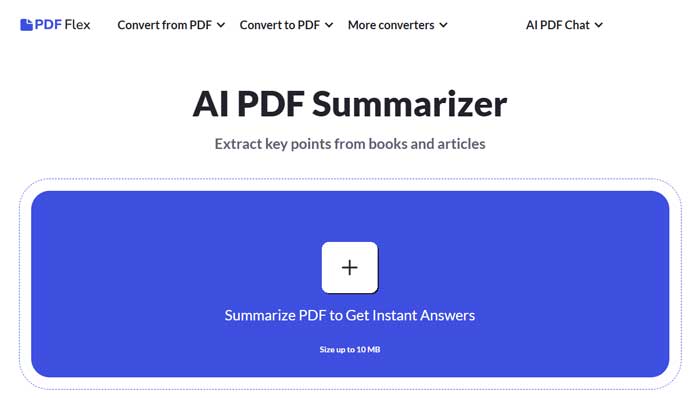
In today’s rapidly evolving digital landscape, PDF Flex stands out as an innovative tool that revolutionizes how we engage with PDF documents. Powered by advanced AI-driven chat functionality, PDF Flex allows users to interact with PDF files by asking questions, whether it’s for summaries or specific data extraction.
This tool is designed for professionals and individuals looking to streamline document handling, save time, and improve efficiency. PDF Flex also offers an extensive range of PDF conversion options, making it a powerful all-in-one solution for managing documents.
Key Features of PDF Flex:
- AI-Powered PDF Conversations: Communicate directly with your PDFs and get real-time responses to your questions, enhancing document comprehension.
- Comprehensive Conversion Capabilities: Easily convert PDFs to and from a variety of formats including Word, EPUB, PPTX, PNG, JPG, and more.
- High-Quality Output: Ensures that the layout and formatting of your documents are preserved during conversions.
- Universal Access Across Devices: Available on Windows, Mac OS, Linux, iOS, and Android, ensuring consistent document management across platforms.
- User-Friendly Interface: The intuitive design ensures that even users with limited technical expertise can easily navigate the tool.
- Secure and Private: All documents are encrypted using HTTPS, and PDF Flex does not store your files after conversion, ensuring data privacy.
Advantages of PDF Flex:
- Fast Document Processing: Streamlines the document conversion and information retrieval process, boosting productivity.
- No Registration Required: Access all features immediately without needing to create an account or log in.
- Versatile User Base: Perfect for a wide variety of users, from students and researchers to professionals in diverse industries.
- Top-Quality Conversion: Preserves the original format and layout of documents, ensuring accurate conversions.
Disadvantages of PDF Flex:
- File Size Limitation: Currently, PDF Flex supports file sizes up to 10 MB, which could be limiting for larger documents.
- Language Support: While PDF Flex supports multiple languages, the effectiveness of its AI features may vary with non-English documents.
- Requires Internet Access: A stable internet connection is necessary for full functionality, limiting offline use.
Target Audience for PDF Flex:
PDF Flex caters to a wide range of users, including:
- Students and Researchers: Quickly summarize academic papers and extract key details from research materials.
- Business Professionals: Used across industries such as law, healthcare, and finance for efficient document management and data extraction.
- Content Creators: Ideal for converting digital content into various formats for distribution or archiving.
- Software Developers: Perfect for integrating PDF handling and conversion tools into custom applications.
- Special Use Cases: Beneficial for those with visual impairments who need accessible document content, and for librarians digitizing printed materials.
Pricing Details:
- Completely Free: PDF Flex offers all of its core features, including the AI-powered chat function, at no cost.
Note: For the most up-to-date information on PDF Flex’s offerings and features, be sure to check the official website.
What Sets PDF Flex Apart?
PDF Flex distinguishes itself through its unique integration of AI-powered chat functionality with an extensive suite of PDF conversion tools. This combination not only simplifies document management but also changes how users interact with digital files. The ability to ask questions directly within PDFs and receive immediate responses or summaries is a game-changer for individuals focused on optimizing their workflow for study, research, or work.
Compatibility and Integration:
- Cross-Platform Access: PDF Flex is compatible with major operating systems such as Windows, Mac OS, Linux, iOS, and Android.
- Robust Security: Data privacy is a priority, with HTTPS encryption ensuring secure document handling throughout the conversion process.
- Simple User Interface: No advanced training required; the platform is designed to be intuitive and easy to use.
PDF Flex Tutorials:
To maximize the full potential of PDF Flex, the platform provides a series of user-friendly tutorials and how-to guides on its website.
Final Thoughts:
PDF Flex stands as an indispensable tool for anyone working with PDF documents, offering a revolutionary AI chat feature that transforms the way users interact with digital files. Its robust PDF conversion capabilities, user-friendly interface, and high-security standards make it an essential resource for individuals in academia, business, and creative fields.
By simplifying document management, PDF Flex enhances efficiency and accessibility, cementing its place as one of the top tools for modern document handling.